Using Wiggle
Leave or delete a home, or delete your account
You can leave a home that you share, delete a home that you own, or delete your account. Check what each one does first, because you cannot undo a deletion.
Leave a home
You can leave a home if you are a member. An owner deletes a home and does not leave it.
- Open Settings, then Your homes.
- Open the home's menu and select Leave home.
- Select Leave home again to confirm.
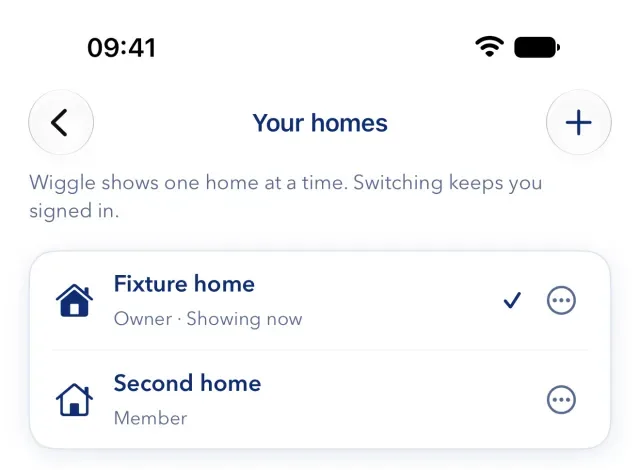
You stop seeing the home and its notifications. The home, its data and its other members do not change. The owner can invite you again.
Delete a home
Only an owner can delete a home.
- Open Settings, then Your homes.
- Open the home's menu and select Delete home.
- Tick the box to say that you understand, then select Delete.
- Confirm that it is you.
This erases the home's energy history, tariffs, and supplier and appliance connections for everyone. Other members lose access but keep their Wiggle accounts. Your account and your other homes stay. If this was your only home, you stay signed in and can set up a new one.
Delete your account
- Open Settings and select your name under Account.
- Select Delete account.
- Read what will happen to each home.
- Type
delete, select Delete account permanently and confirm that it is you.
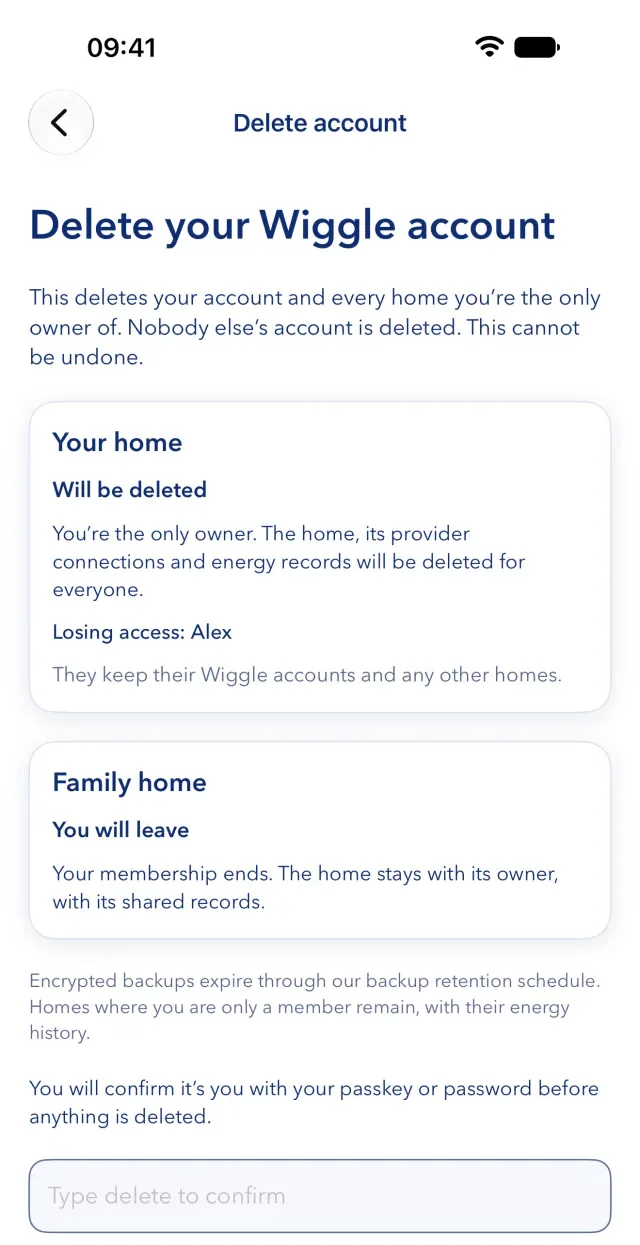
- "Will be deleted". You are the only owner. The home, its connections and its energy records are deleted for everyone, and Wiggle names the people who lose access. They keep their accounts.
- "You will leave". Your membership ends. The home stays with its owner and its shared records.
If Wiggle says "Review deletion again", your homes or their members changed, so check the list again. We email you to say that the account is deleted, with a receipt number.
What stays
- Backups. Encrypted backups expire through our backup retention schedule, so removal from them is not immediate.
- A record of the deletion. We keep a limited record to complete and account for it, or where the law requires it.
- Support cases. We normally keep them for up to 24 months after they close, unless you ask us to erase them sooner.
- Changes that you made to a home that stays. They stay in its history, shown as made by a former member.
Wiggle's Privacy Notice gives the full list and the time periods.
Your accounts at other companies
- Octopus. Your Octopus account does not change, and your API key still works there. To cancel it, make a new API key in your Octopus account.
- Appliances. For each erased home, we ask Enode or the manufacturer to remove Wiggle's connection. Your account with the manufacturer stays.
If you cannot open the app
Use the account and data request form. You do not need the app or access to your account. We email you a confirmation link, which lasts 24 hours and can be used once. Opening the link does not delete anything. We normally respond within one month.
Still stuck?
Email support@wiggle.energy, or use Report an issue in the app. We aim to reply within one working day.